
PremierVPN for Fire TV
Built for the remote. Sign in once, press Play/Pause to connect or disconnect, and everything on your Fire TV goes through WireGuard. Let chosen apps skip the VPN, and block ads and trackers in every app.
- WireGuard®
- One-button connect
- Apps that skip the VPN
- Zero logs
Fire TV Stick, Fire TV Cube and Fire TV smart TVs on Fire OS 6 or later, and Android TV · Other ways to install · Setup guide
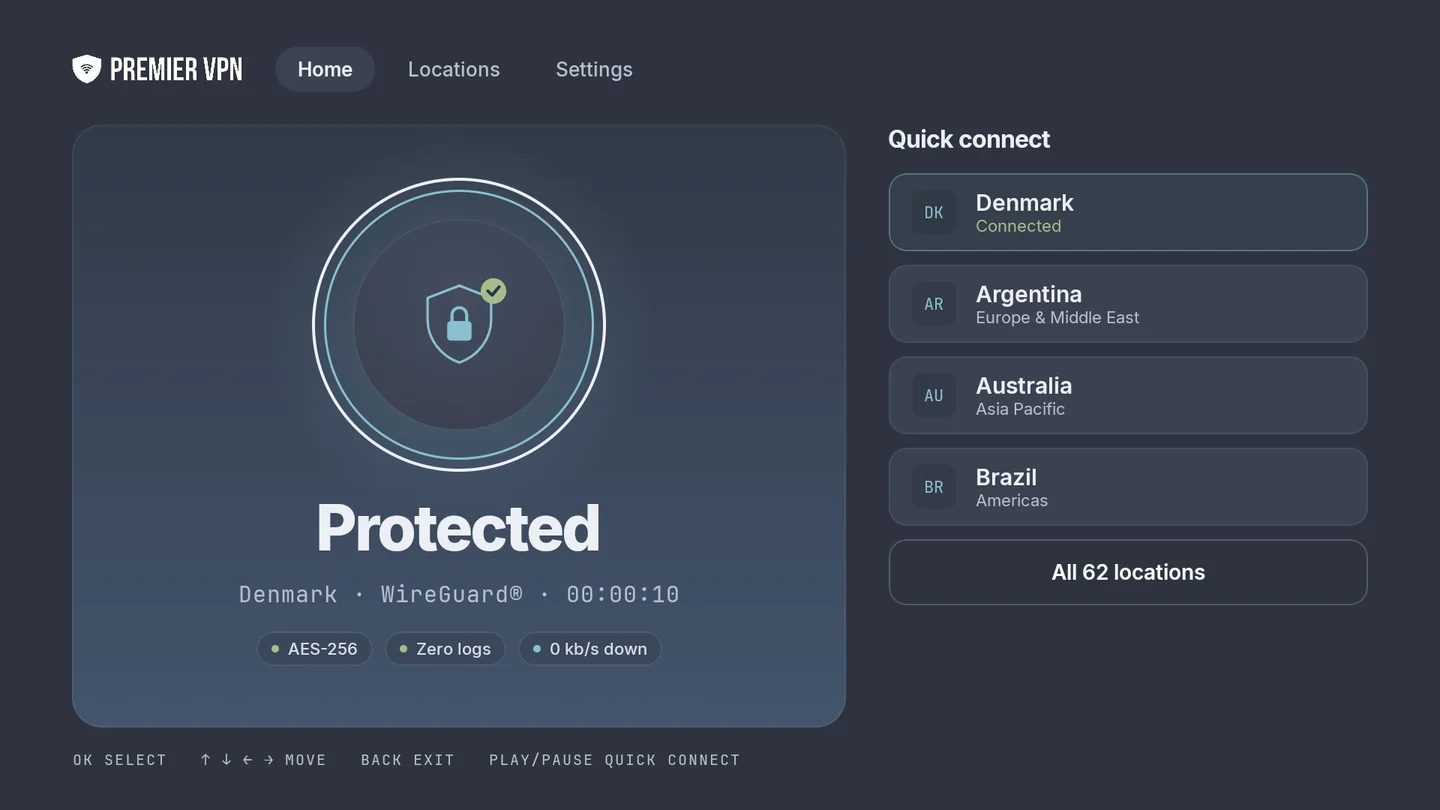
Protected in one press
Every screen is built for the Fire TV remote: big targets, a clear focus ring, and the buttons for each screen shown along the bottom.
One-button connect
Home opens with the shield highlighted, so it's one press of OK. Or press Play/Pause on any screen to connect or disconnect.
Status you can read from the sofa
Connected or not, in big letters, with the location, protocol, time connected and live download speed. If a server doesn't answer, you get Try again and Pick another server.
Quick connect
Up to four locations beside the status: the one you're using, your recent locations and your favourites. Pick one and it switches server for you.
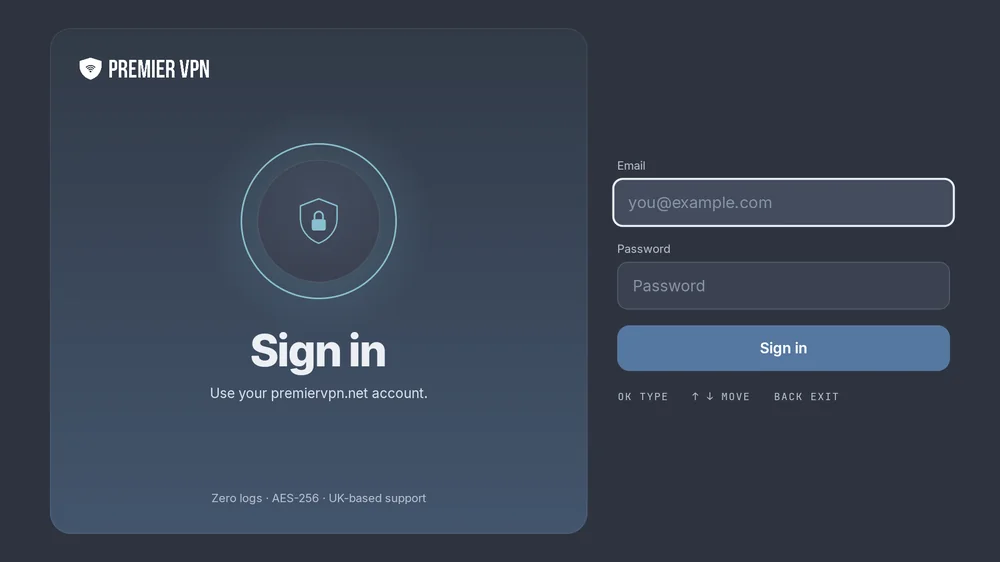
Sign in with your account
Use the email and password for your premiervpn.net account, with your 6-digit code if two-factor is on. No separate VPN username to look up.
Starts with your Fire TV
Connect automatically when the Fire TV restarts, and reconnect by itself after a drop, a stall or sleep.
Stays on while you watch
Press Back or Home and the VPN keeps running in the background as you move between streaming apps.
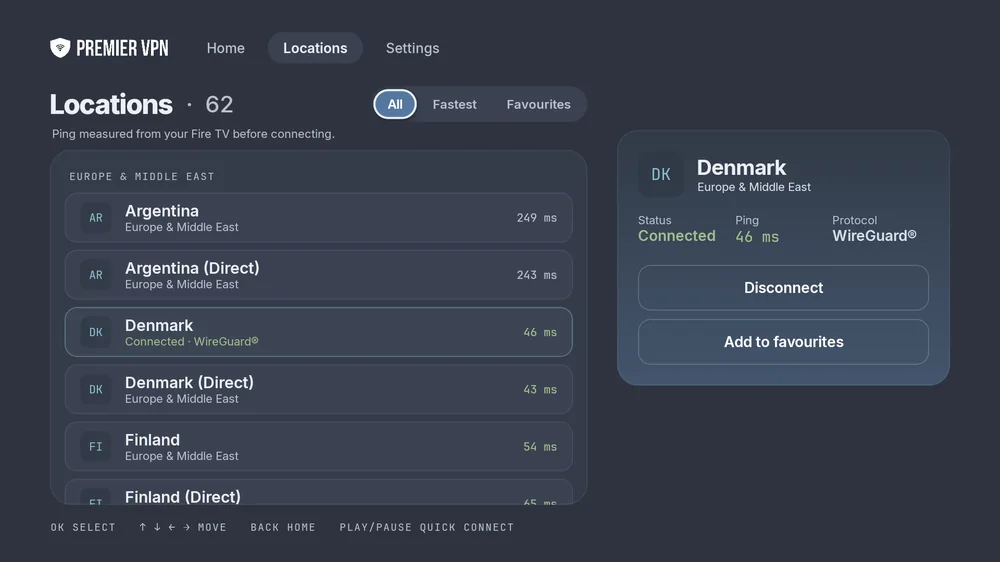
See which server is fastest before you connect
Ping is measured from your Fire TV to every location, so you can pick the quickest one for streaming from where you are.
- Fastest sorts every location by ping, quickest first. Green means under 80 ms.
- Favourites you star appear on Home and in their own filter.
- Dedicated IP servers come first, with their own filter, if your account has one.
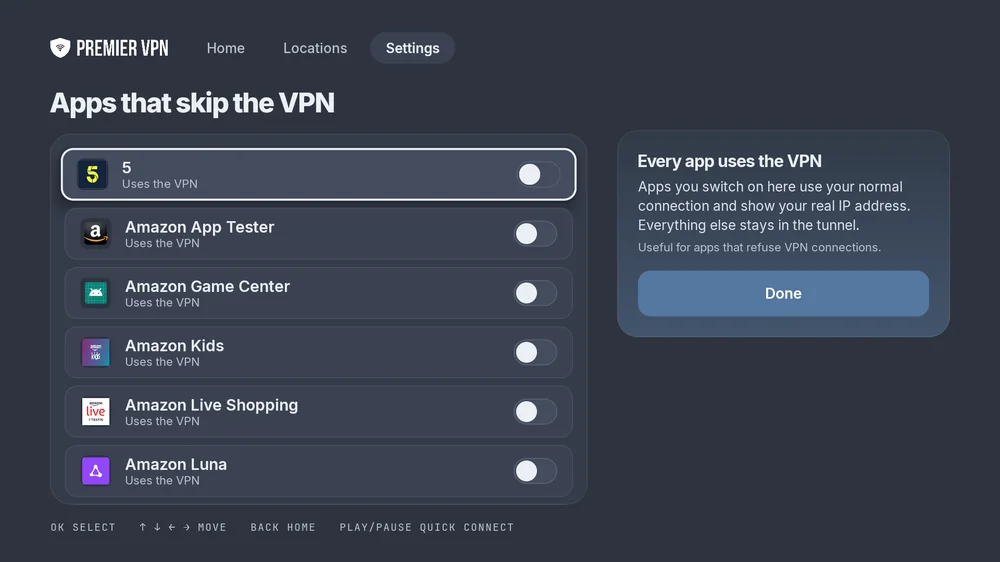
Choose apps that skip the VPN
Some apps refuse to work over a VPN. Switch them on here and they use your normal connection, while everything else stays in the tunnel.
- Every app on your Fire TV is listed with its icon and a switch, marked Uses the VPN or Skips the VPN.
- Nothing skips the VPN until you choose it, and the panel shows how many do.
- Apps that skip the VPN show your real IP address, so only add the ones that need it.
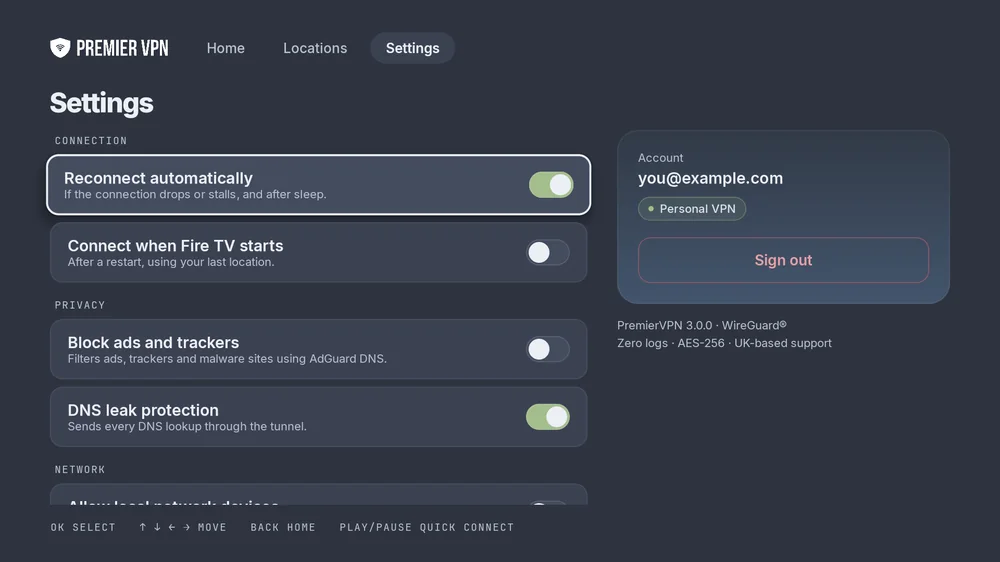
Fewer ads, no leaks
Each setting is one switch, with a line saying what it does. Change one while connected and Reconnect now applies it.
- Block ads and trackers filters ads, trackers and malware sites in every app, using AdGuard DNS.
- DNS leak protection sends every DNS lookup through the tunnel.
- Reconnect automatically if the connection drops or stalls, and after sleep. On by default.
- Connect when Fire TV starts, using your last location, after a restart.
- Allow local network devices, for Plex or Kodi servers, network drives and casting from your phone while connected.
Three ways to get it
The Amazon Appstore is easiest and keeps the app up to date. If the Appstore isn't available in your country, install it straight from us.
Amazon Appstore
On your Fire TV, go to Find, search for PremierVPN and choose Get. Or send it to your Fire TV from Amazon's website. Updates install by themselves.
Open in the Amazon Appstore →Downloader app
Install the free Downloader app from the Appstore, then enter this code to download and install PremierVPN:
381583 Step-by-step →Direct download
The same app as an APK file, version 3.0.0, for Android TV and Google TV too. Install it with Downloader or any other sideloading tool.
firetv.apk · 17 MB · Android 7.0+ Download the APKFour buttons do everything
The app shows these along the bottom of every screen, so there's nothing to remember.
- OK
- Select, switch on or off, type
- ↑ ↓ ← →
- Move between items
- Back
- Back to Home, or leave the app from Home with the VPN still on
- Play/Pause
- Connect or disconnect, from any screen
What you need
- Fire TV Stick, Stick 4K, 4K Max or Lite
- Fire TV Cube
- A smart TV with Fire TV built in
- Fire OS 6 or later
- Or Android TV and Google TV
- A PremierVPN account with an active plan
Not for Vega OS. The Fire TV Stick 4K Select and the newest Fire TV Stick HD run Amazon's Vega OS, which can't install Android apps, so PremierVPN isn't available on them. To check, open Settings › My Fire TV › About: a software version starting with 1 is Vega OS.
Plans aren't sold in the TV app. Choose one on premiervpn.net, then sign in on your TV.
Stream privately tonight
Install the app, sign in with your PremierVPN account, and press OK on the shield. UK-based support, 24/7.