
The MAG airport Wi-Fi breach: what signing in cost 8.8 million people
Manchester Airports Group exposed 8.8 million customers' data via a third-party breach. Here's what the incident reveals about the hidden cost of free airport Wi-Fi.
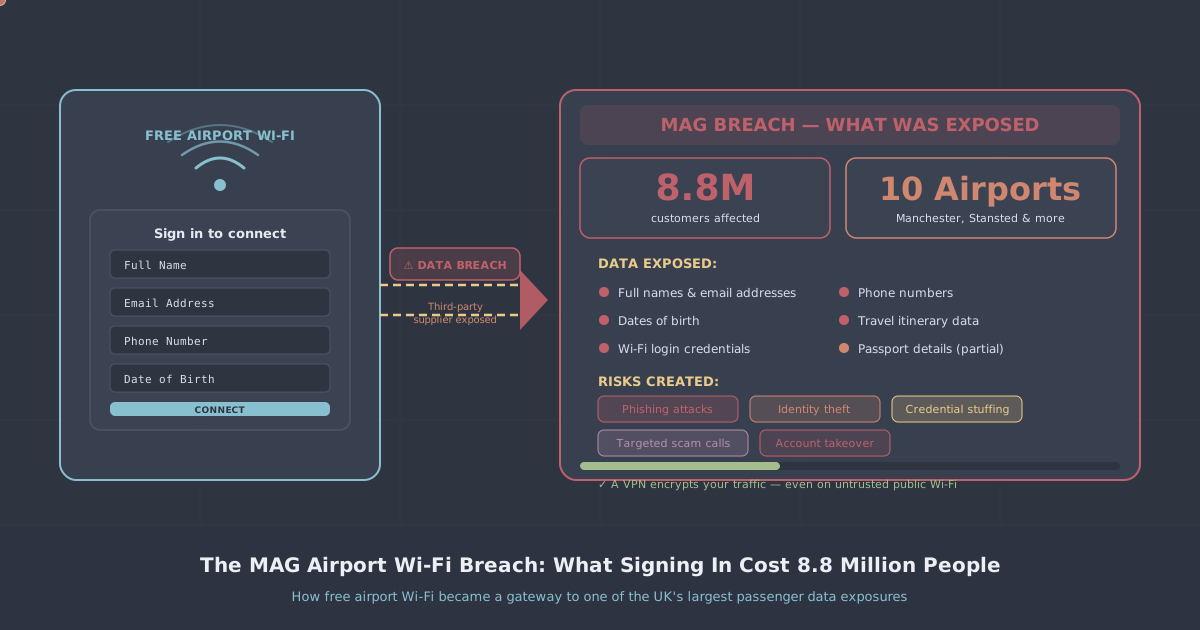
On 27 August 2026, Manchester Airports Group (MAG)—the UK's largest airport operator—disclosed that an unauthorised third party had stolen customer data from systems serving Manchester, London Stansted and East Midlands airports. Around 8.8 million people had records exposed: email addresses, phone numbers, postcodes, and vehicle registration numbers. The extortion group FulcrumSec claimed responsibility, said it exploited API credentials left exposed in client-side JavaScript, and ultimately published roughly 550 GB of uncompressed data after MAG declined to pay a ransom. Have I Been Pwned added the incident on 2 September 2026.
What makes this breach particularly instructive is not just the scale. It is the source. The exposed records did not come exclusively from car park or lounge bookings—they included in-airport Wi-Fi sign-up data. Millions of those affected almost certainly did not think of themselves as MAG "customers" at all. They connected to free airport Wi-Fi, filled in a short form, and moved on. That act, repeated across years of travel, built a database that became a target.
This article looks at what data free airport Wi-Fi actually collects, why that data persists far longer than most people assume, and what you can do to reduce the exposure the next time you are sitting in a departure lounge waiting for a flight.
What registering for free Wi-Fi actually hands over
Free Wi-Fi at airports is rarely free in any meaningful sense. The access is exchanged for data. The registration form—typically asking for an email address, sometimes a phone number or postcode—is not a minor administrative formality. It is the product transaction.
In the MAG case, the collected fields included:
- Email addresses
- Phone numbers
- Postcodes
- Vehicle registration numbers (collected through car park and related bookings, and linked to Wi-Fi accounts where customers used the same details)
Vehicle registrations are worth pausing on. They are not obviously sensitive on their own, but combined with a postcode, a phone number, and the knowledge that someone regularly travels through a specific airport, they become useful to anyone constructing a social engineering attack or impersonating a legitimate service—DVLA correspondence, parking fines, insurance communications.
Once you submit that form, the data does not sit on a local server and expire when you disconnect. It is ingested into a customer database, potentially shared with marketing partners, retained for years under vague data retention policies, and—as this breach demonstrates—can be copied and published without your knowledge or consent.
How FulcrumSec got in
FulcrumSec stated it gained access via airport-specific API credentials that had been left exposed in client-side JavaScript. This is a well-understood class of vulnerability: developers hard-code authentication tokens or API keys into front-end code, where they are visible to anyone who inspects the page source or JavaScript bundles. The credentials then provide a route into back-end systems that were never intended to be publicly accessible.
The significance here is that the 8.8 million people affected had no exposure to this vulnerability themselves. They did nothing wrong technically. They filled in a form. The liability was created on MAG's side—in a development practice, a code review that missed it, an infrastructure decision made years earlier. The individuals who handed over their data had no visibility into any of that, and no realistic way to assess the risk before signing in.
This is the fundamental asymmetry of free Wi-Fi data collection. The organisation accumulates a large, valuable dataset. The individuals who contributed to it bear the downstream risk when that dataset is compromised.
Why this combination of data is dangerous
Security researchers commenting on the breach pointed to the specific combination of fields as the concern. Individually, an email address or a postcode is unremarkable. Together, with travel context layered in, they support highly convincing attacks.
Consider what an attacker now knows about a victim in this dataset:
- Their email address and phone number (direct contact routes)
- Their approximate home location (postcode)
- Their vehicle registration (plausible link to parking, motoring, or insurance services)
- That they have travelled through Manchester, Stansted or East Midlands airports at some point
That profile supports phishing emails referencing a "parking charge" from your specific trip, SMS messages appearing to come from the airport about a "lost item" linked to your vehicle, or voice calls impersonating DVLA or an insurance provider citing your registration. The plausibility of these approaches is what makes the breach more than a typical credential dump.
The data retention problem
One detail that rarely gets discussed in breach reporting is how long this data existed before it was stolen. Wi-Fi sign-up records from a single airport visit in 2019 or 2021 may well have still been sitting in that database in 2026. Organisations tend to retain customer data well beyond any operational need, partly for analytics, partly through inertia, partly because deletion workflows are genuinely difficult to implement across complex systems.
Under UK GDPR, personal data should not be kept longer than necessary for the purpose for which it was collected. The purpose of a Wi-Fi sign-up is to grant temporary network access. Retaining that data for years after the connection ended is difficult to justify under that principle—but it happens routinely, and regulators have limited capacity to audit every organisation proactively.
The practical consequence for individuals is that data you handed over years ago, for a service you used once, can resurface in a breach today. You may not even remember signing up.
What to do if you think you are affected
If you have used Wi-Fi or booked car parking, a lounge, or Fast Track security at Manchester, Stansted or East Midlands airports, your data may be in the published dataset.
- Check Have I Been Pwned. The incident was added on 2 September 2026. Visit
haveibeenpwned.comand search your email address. If it appears in this breach, treat the result as confirmation rather than reassurance—absence does not guarantee your data was not taken. - Be sceptical of inbound contact. Any email, SMS or call referencing your vehicle, a parking charge, airport bookings or travel arrangements should be treated with heightened suspicion for the foreseeable future. Do not click links in unexpected messages. Go directly to the official website of any organisation that contacts you.
- Update passwords on accounts sharing the exposed email. If you reused the email address as a username elsewhere, prioritise those accounts—especially if you also reused a password.
- Consider a separate email address for sign-up forms. A dedicated address for public Wi-Fi and one-off registrations means future breaches of this kind do not expose your primary identity.
How to protect yourself on public Wi-Fi going forward
The most direct way to reduce exposure is to avoid submitting personal data to public Wi-Fi portals in the first place. Mobile data is the simplest alternative—using your phone as a hotspot means you never interact with the captive portal at all.
Where you do connect to public Wi-Fi, a VPN encrypts your traffic between your device and the VPN server, which prevents the network operator and anyone else on the same network from reading your data in transit. It does not, however, prevent you from handing over your email address to a sign-up form. That is a separate decision, and the more important one.
Our PremierVPN Protect browser extension can help block trackers and malicious domains while you browse, and a full VPN connection—available via our Windows, macOS, iOS and Android apps—secures the traffic itself. For frequent travellers, the Travel VPN page covers the specific scenarios where this matters most, including restrictive hotel and airport networks.
The honest position is this: a VPN protects your data in transit across a network. It does not protect data you voluntarily hand to a third-party database. The MAG breach was not an attack on Wi-Fi traffic—it was an attack on a stored dataset. The protection against that kind of breach is giving less data in the first place, not encrypting more of it.
The broader lesson about convenience and data liability
The MAG breach is a useful illustration of a principle that applies far beyond airports. Every time you register for a free service—Wi-Fi, a loyalty scheme, a one-off discount—you are creating a record that persists independently of your use of that service. That record sits in a database you have no visibility into, protected by security controls you cannot assess, for a duration you have no control over.
This does not mean avoiding every sign-up form is practical or sensible. But it does mean treating each one as a considered decision rather than a reflex. The form at the airport Wi-Fi portal is not asking for a minor detail. It is asking you to contribute to a dataset that may exist for years and may be stolen, ransomed, and published—as 8.8 million people have now learned.
The most effective habit is the simplest one: if you do not need the service badly enough to justify handing over real contact details, use your mobile data instead. The saving on your data plan is rarely worth the exposure. In this case, for millions of people, it clearly was not.
Share this article
Protect your privacy with PremierVPN
Fast, secure, and truly private VPN service with servers in 12+ countries.
Get Started